
Build a Resume You’ll Love
Our intuitive resume editor gives you complete control. Make changes instantly, see live previews, and create a resume that truly represents you, all without design headaches.
Stunning Designs for Every Style
From minimalist to creative, find a template that matches your professional brand
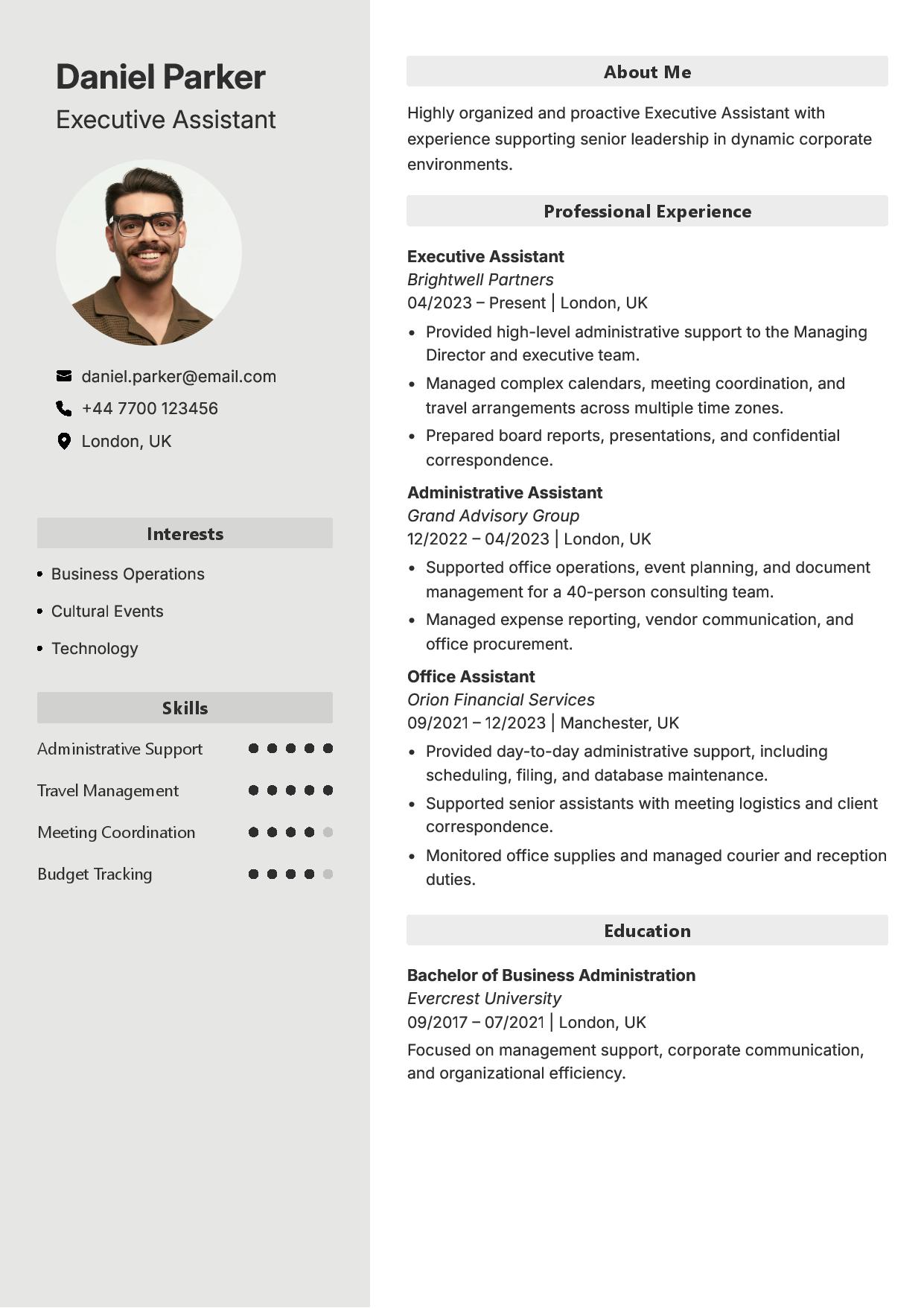
Silver Eclipse
Minimalist & Modern
Clean lines with a crisp, high-impact layout. Everything lands with precision.
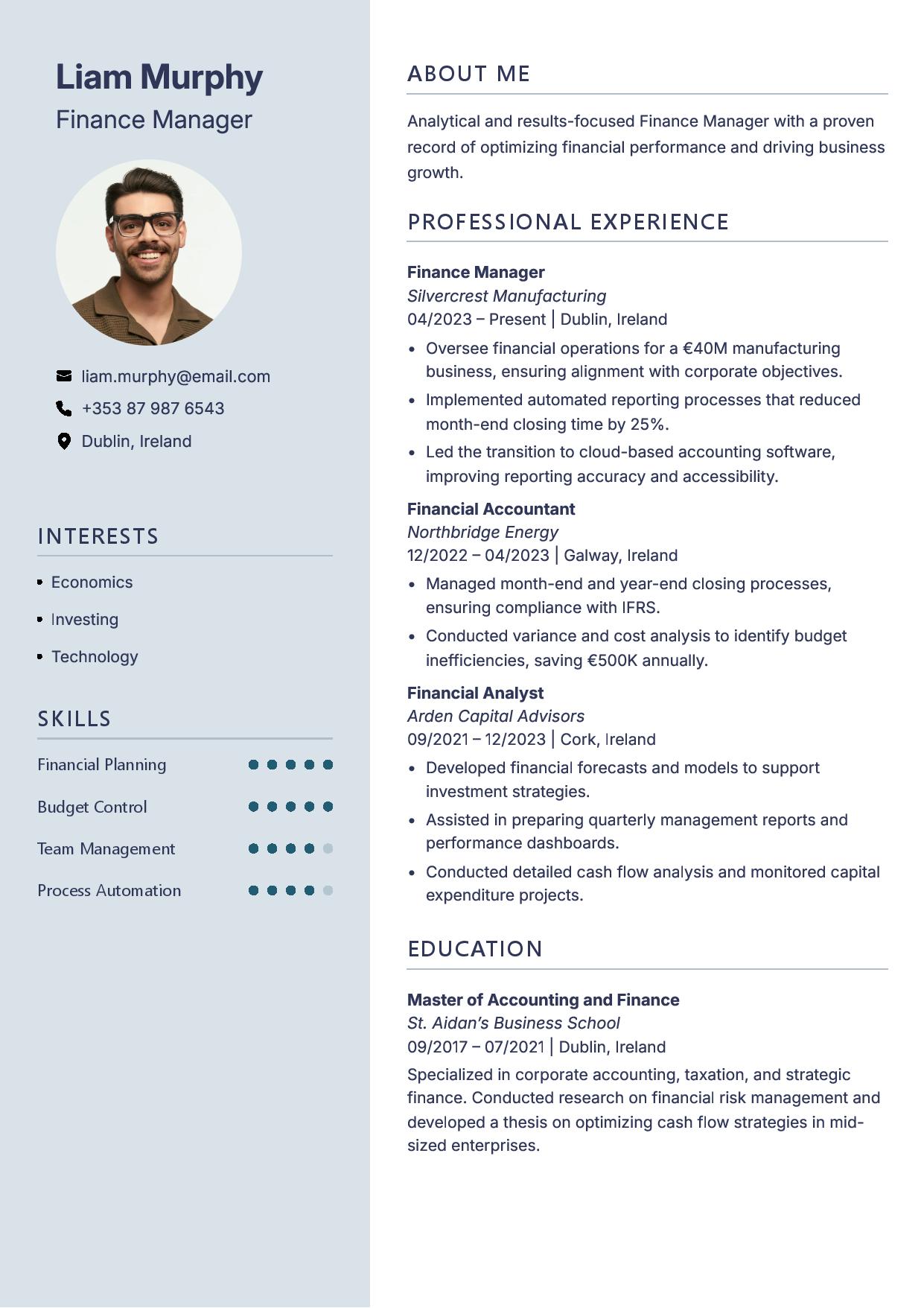
Cosmic Wave
Elegant & Refined
Cool blues with a confident, modern feel. Smooth flow with a strong visual punch.
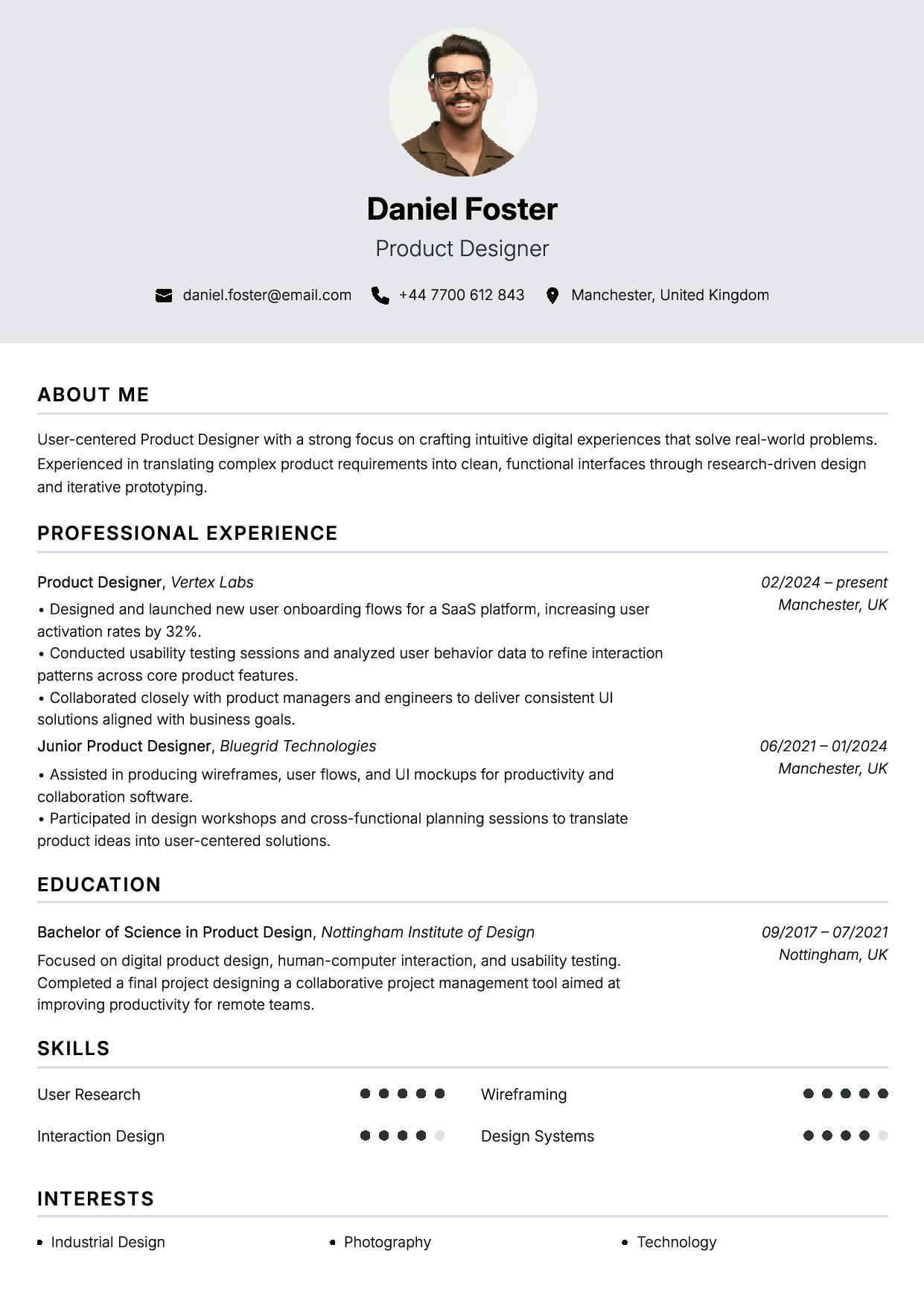
Stellar Ink
Pure & Airy
Crisp black ink on a bright white canvas. Light, graceful, and beautifully clear.
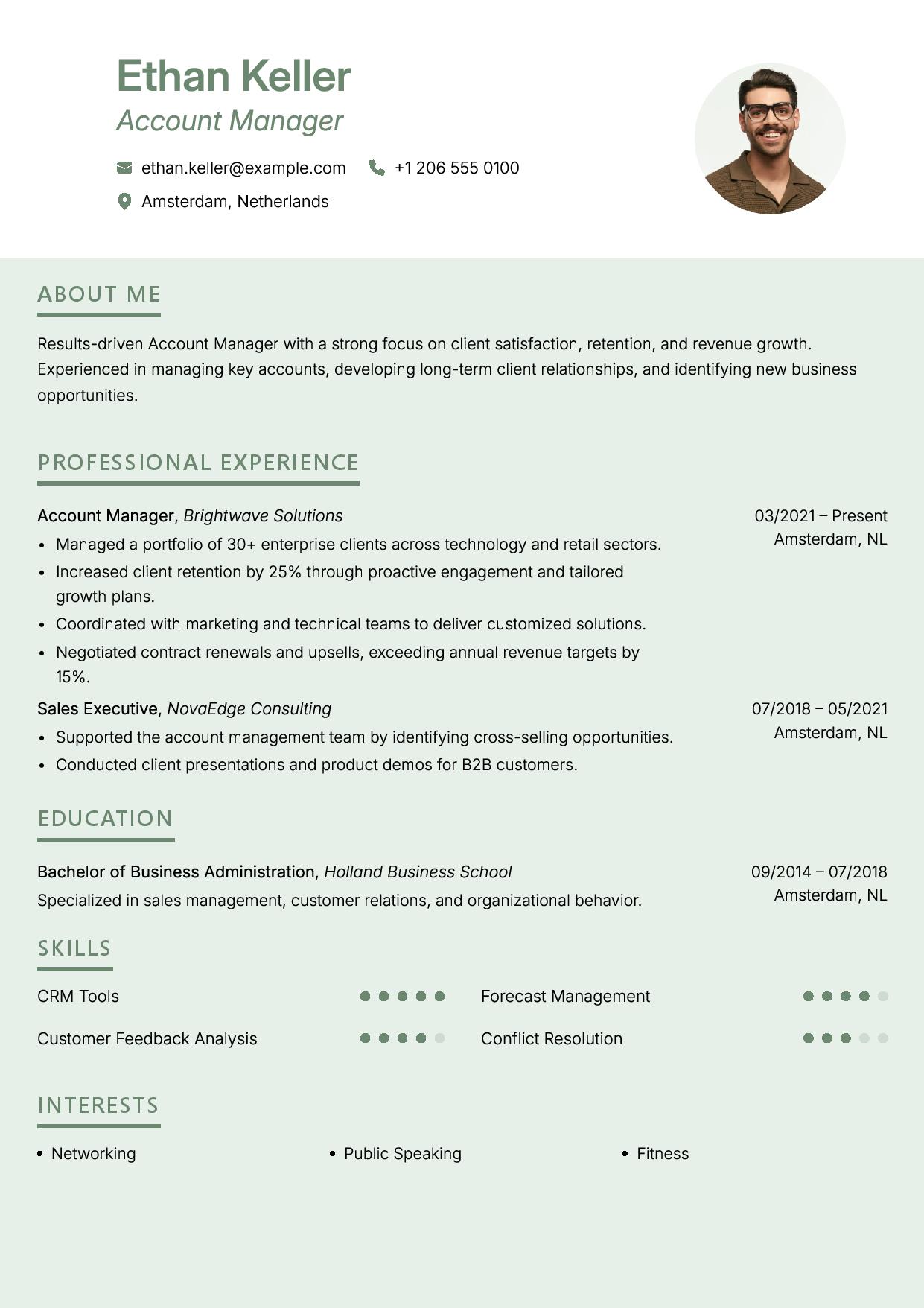
Forest Mint
Fresh & Balanced
Green accents that stand out immediately. Clean structure with a strong identity.
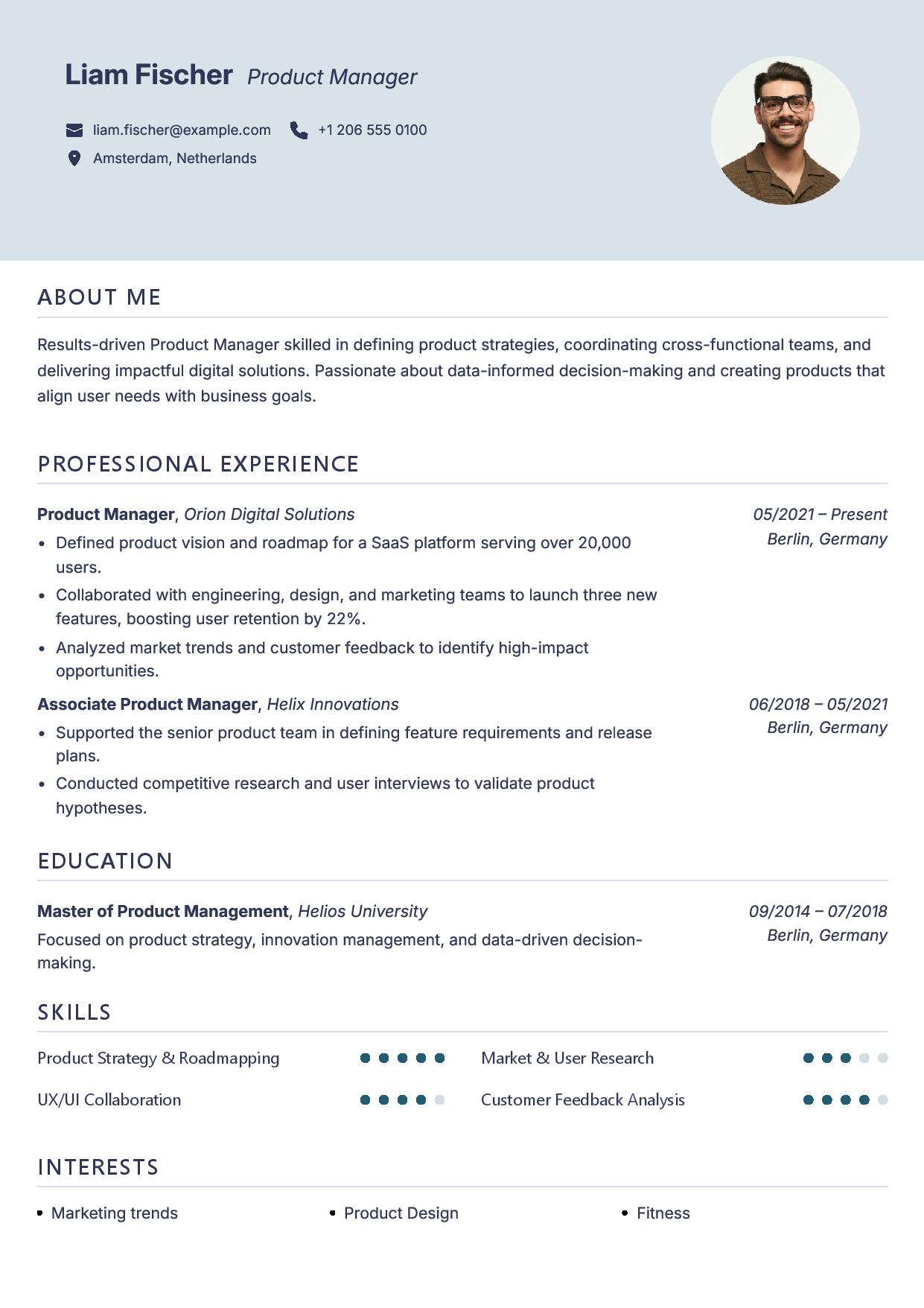
Light Ocean
Modern & Clean
Bright layout with clear, striking sections. Fresh look that reads instantly.
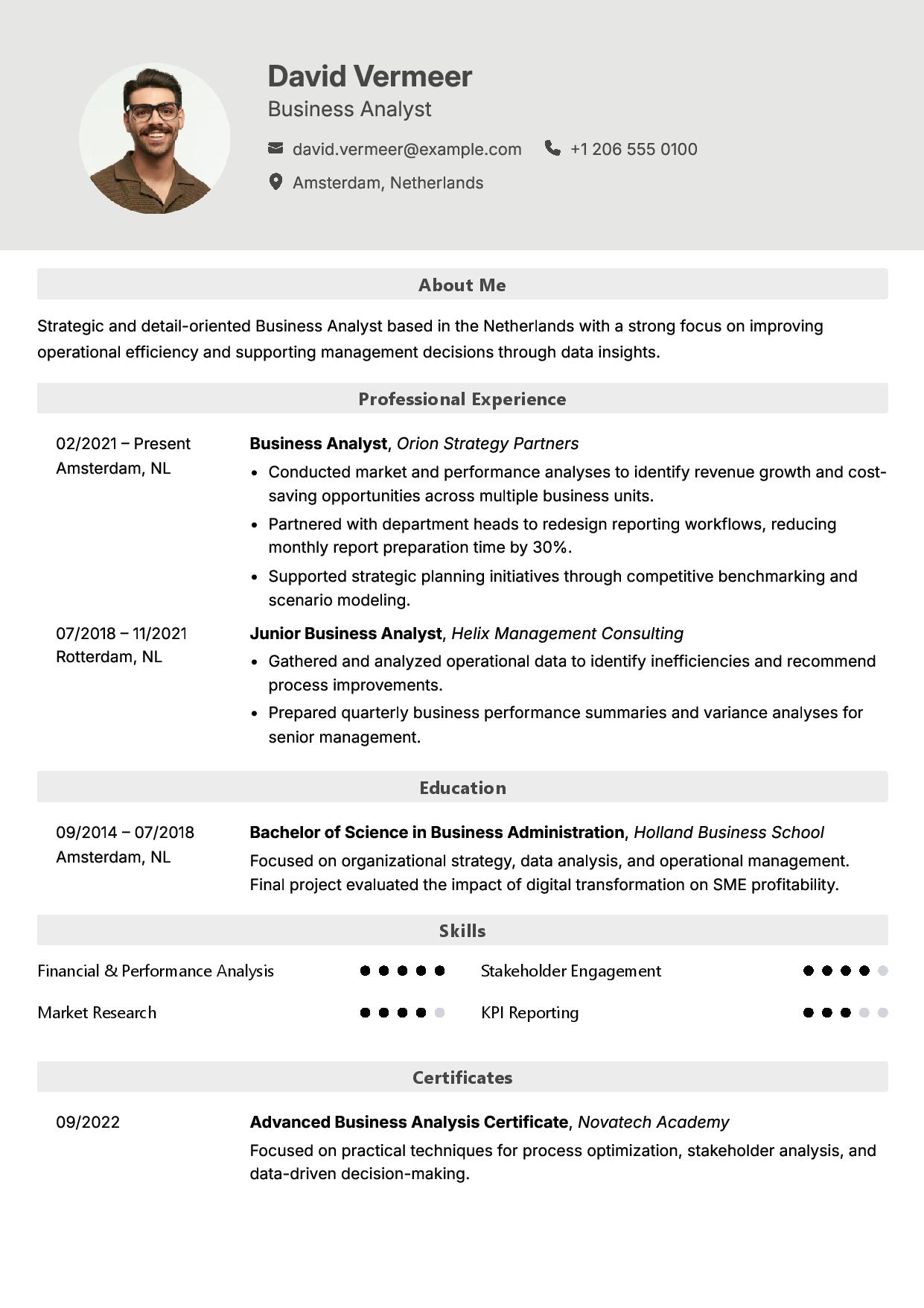
Silver Moon
Sleek & Clean
Grey palette with razor-clean spacing. Understated design with real impact.

Lunar Horizon
Structured & Polished
A clear hierarchy and balanced sections bring your experience into focus.

Astral Glow
Distinctive & Creative
A distinctive layout that gives your achievements room to shine.

Nebula Night
Bold & Confident
Strong contrast and defined sections make a memorable first impression.

Stellar Ink Slim
Compact & Refined
The clarity of Stellar Ink in a compact layout that makes every line count.

Professional Slim
Focused & Efficient
A streamlined design that keeps your qualifications clear and easy to scan.

Modern
Clean & Contemporary
A contemporary layout with clear sections and room for your career story.
Write Better with Frontier AI
Generate a strong first draft, tighten it for impact, expand it with richer context, or use custom prompts to rewrite any section exactly how you want.
✨ Work Experience
Choose Generate, Shorter, or Longer to preview how MoonCV rewrites a resume section without leaving the editor.
Led cross-functional product initiatives that improved onboarding completion by 34% and reduced support handoffs across sales, success, and engineering teams.
Built clear release documentation, prioritized customer feedback, and shipped iterative workflow improvements used by more than 18,000 monthly users.
Improved onboarding completion by 34% by coordinating product, customer success, and engineering teams around higher-impact workflow updates.
Led a cross-functional initiative to redesign customer onboarding, partnering with product, success, and engineering teams to identify friction points, prioritize changes, and deliver a cleaner activation flow.
Increased onboarding completion by 34%, reduced avoidable support handoffs, and created release notes that helped internal teams explain improvements with confidence.
Continued measuring usage trends after launch and translated customer feedback into follow-up improvements for a product used by more than 18,000 monthly users.
Sign in to enter a custom prompt and tailor this section to a specific role, company, or job description.
Every Required Skill. Covered.
MoonCV identifies the most important skills from the job description and recommends the ones to include in your resume.
🧠 Skills
AI Suggested Skills
C#
PostgreSQL
React
AWS
TypeScript
Docker
Customize Your Resume Your Way
Adjust every section exactly how you want it. Move things around, hide what doesn’t fit, and let AI offer helpful suggestions that keep your writing sharp. You stay in control, but never alone.
- Flexible section ordering
- Show or hide any section
- Helpful AI writing guidance
Choose the Look, Not Just the Words
Adjust the font, sizing, and spacing to make it your own. Watch your resume update instantly in the preview. No design skills required.
Alexandra Chen
Senior Product Designer
Product designer with 8+ years crafting intuitive, accessible interfaces for high-growth SaaS platforms. Led design systems adopted by 40+ engineers across three product teams, cutting design-to-dev handoff time in half. Partnered closely with research and engineering to ship features used by over two million people, with a track record of turning ambiguous problems into shipped, measurable outcomes. Passionate about mentoring junior designers and building a culture where craft and speed aren't a trade-off.
Skills
See Changes As You Type
No more guessing what your resume will look like. Every change you make appears instantly in the live preview. What you see is exactly what recruiters will see.
- Instant visual feedback on every edit
- Perfect formatting, automatically maintained
- No surprises when you download
Three Steps to Your Perfect Resume
Simple, fast, and powerful
Choose a Template
Pick from our collection of ATS-optimized designs. Every template is modern and professional.
Fill In Your Details
Add your experience, skills, and education. Watch your resume come to life in real-time.
Download & Apply
Export your perfect resume as a PDF and start applying to your dream jobs immediately.
Export Perfect PDFs
Download pixel-perfect PDFs that maintain formatting across all devices and platforms. Your resume looks professional everywhere.
- High-quality PDF export
- Guaranteed ATS compatibility
- Fast, instant PDF downloads
Everything You Need to Build Fast
Powerful features that make resume building effortless
Real-Time Preview
See changes instantly as you type. No waiting, no guessing. What you see is what you get.
Instant PDF Export
Download your resume as a perfectly formatted PDF with one click. Ready to send immediately.
Smart Sections
Add, remove, or reorder sections with drag and drop. Build your resume your way.
Matching Cover Letters
Create a perfectly aligned cover letter that matches your resume’s layout and style.
AI-Powered
Smart suggestions and content optimization powered by AI. Write better, faster, and get matched to job descriptions automatically.
Template Switching
Change templates anytime without losing content. Try different looks instantly.
Questions About MoonCV?
Everything you need to know about building resumes with MoonCV
How does the MoonCV Resume Editor work?
The Resume Editor is a real-time, drag-free editor where you enter your details on the left and instantly see a live preview on the right. Every change updates automatically, so you always know exactly how your final resume will look before exporting it as a PDF.
Are MoonCV resumes ATS-friendly?
Yes. All templates are optimized for Applicant Tracking Systems. We avoid hidden elements, complex layouts, or visual structures that break parsing. Recruiters and ATS software can easily read the content you create with MoonCV.
Can I customize the layout and sections?
Yes. You can reorder sections, rename them, hide the ones you don’t need, and add multiple entries anywhere. The editor adapts dynamically to avoid layout breaks while preserving a clean, professional design.
Will my resume look the same when exported to PDF?
Yes. MoonCV uses a custom rendering process to ensure the PDF output matches the preview exactly. Fonts, spacing, colors, and layout remain identical to what you see in the editor.
Start Building Your Resume Today
Experience the fastest, most intuitive resume editor. Free to start, no credit card required.